
Before you start #
Availability and permissions
- Website editing permission.
Have these ready
- Prepare a distinct title and description for each page and a share image you may publish.
What to do #
- Open Your website → SEO & social sharing, then select the page you intend to update. Page search fields are also available in Pages & content.
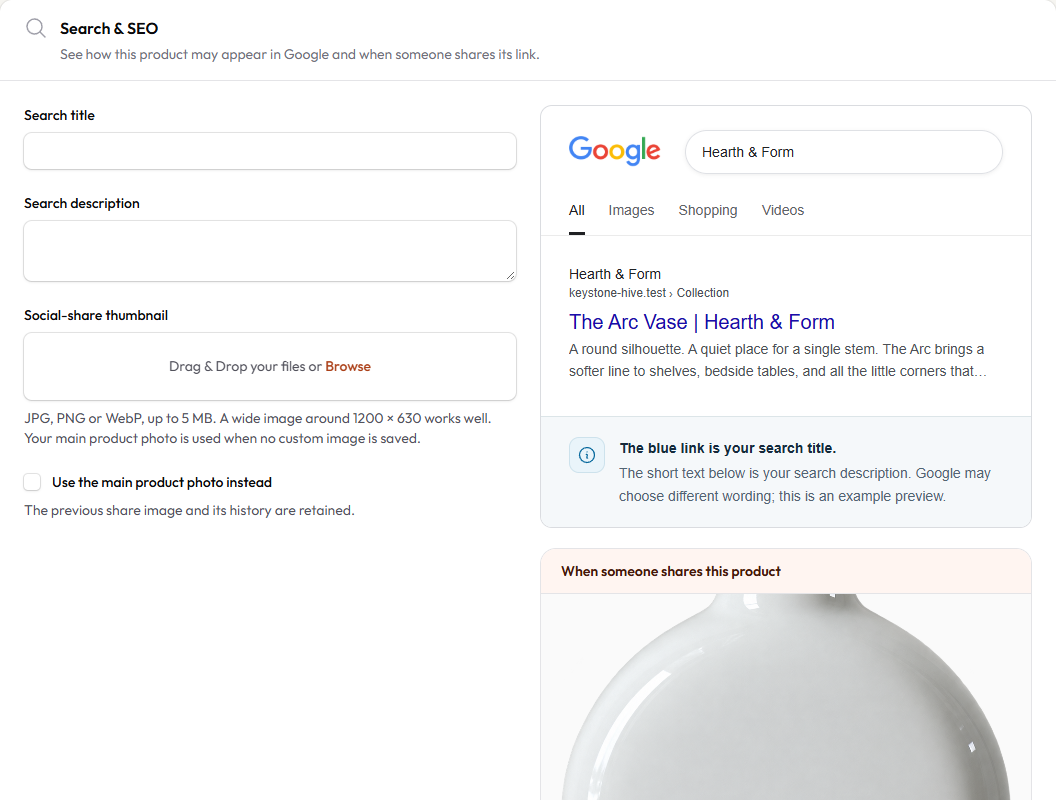
- Set a descriptive title naming the business and page purpose. Roughly 50–60 characters is a useful editing target, not a search-engine rule or guarantee.
- Write a useful description that names the business, offer and relevant location. Around 150–160 characters is a starting point; avoid stuffing repeated keywords.
- Choose a Social-share image and review the share-card preview. Wide imagery around 1200 × 630 commonly works well.
- Save, preview and explicitly update the live site when ready. For product search settings, use that product’s Search & SEO section.
What to know #
Google may rewrite titles or descriptions and may not show an image. A social-share image does not guarantee a search thumbnail.
Read the Best SEO Practices for Agentic Websites guidance in HIVE for clear business descriptions, useful headings and accurate claims. AI-assisted writing still needs your review.
What success looks like #
The saved previews match the intended page and its published metadata has been updated.
If something goes wrong #
- Social platform still shows the old image? Shared-link caches can lag; confirm the published page first.
Official provider information
To share a specific section, use the # link beside its heading and copy the address. To save or print this guide, use your browser’s Print command.